Claude for Business · security, data and GDPR
What Claude sees, and what it never does.
A Claude for Small Business install from FMOps connects Claude only to the accounts you choose, with scoped access; Anthropic does not train on your data under its commercial terms; and nothing is sent, filed or paid without a person approving it. This page sets out the detail so you can check it.
Written for the owner or manager who has to answer for the data. If something here is unclear, ask on the free call and I will answer it plainly.
What Claude sees
Only the connected accounts, and only what the signed-in person can already see. A Claude for Work workspace is connected to your Google Workspace or Microsoft 365, and where useful to your accounts package and shared folders. Each connection is scoped: read-only where read-only is enough, limited to the folders and mailboxes the workflow needs.
Claude does not crawl your whole business. It does not see systems that were not connected. It sees, per request, the documents or emails relevant to what a staff member asked it to do, under that staff member's own permissions.
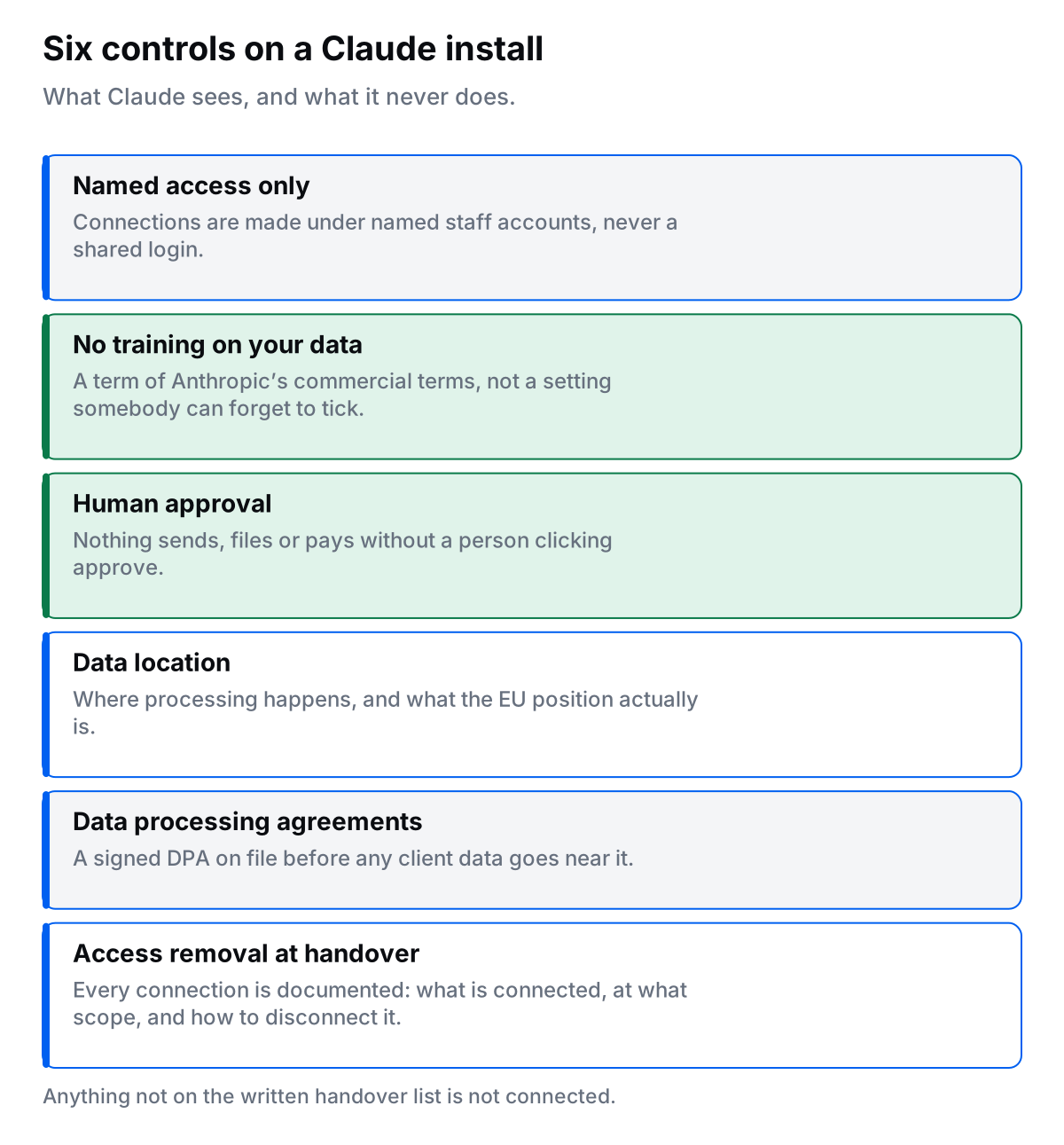
- Connections are made under named staff accounts, not a shared login.
- Each connection is written down at handover: what is connected, at what scope, and how to disconnect it.
- Anything not on that list is not connected.
No training on your data
Under Anthropic's commercial terms, which govern Claude for Work, Team and Enterprise plans and the API, Anthropic does not use customer content to train its models. That is a contract term, not a setting someone can forget to tick.
Consumer plans have different rules. That is one reason an FMOps install always uses a business plan, on your own workspace, and never staff members' personal accounts. Anthropic's privacy centre and trust centre hold the current detail on retention, security controls and certifications; I do not restate figures here that may change.
Human approval before anything goes out
Claude drafts. A person decides. Every workflow I build that would send an email, issue an invoice, post to a customer, change a record or move money stops and waits for a named person to click approve. This is a design rule, not an option.
It also answers Article 22 of the GDPR: no decision with a legal or similarly significant effect on a person is made by automated processing alone. A machine can prepare a quote, chase an overdue invoice or draft a reply to a complaint. A person sends it.
Data location and the EU
Your emails, files and accounts stay where they are, in Google Workspace, Microsoft 365 or your accounts package, under the data-location terms you already have with those providers. A Claude install does not copy your data into a new system.
When Claude processes a request, the content of that request is handled by Anthropic under its Data Processing Addendum, which includes the standard contractual clauses used for transfers outside the European Economic Area. Before anything is connected we agree which categories of data may be used in workflows and which stay out (payroll and health data are common exclusions). That decision is written into your DPA.
If your business has a rule that certain data must never leave the EU, say so on the first call. Some workflows are still possible; some are not; I will tell you which. See the full breakdown in is Claude GDPR compliant in Ireland?
Data processing agreements
- Anthropic's DPA covers what Anthropic does with your content as a processor: anthropic.com/legal/data-processing-addendum.
- FMOps signs a data processing agreement with every client covering what I do during setup and support: what I can access, for how long, that I do not copy your data, and that access is removed at handover. Read the FMOps DPA (PDF). The signed copy for your engagement is issued at contract stage.
Both are in place before any account is connected.
Access removal at handover
At the end of setup I remove my own access to your accounts, hand you the admin role on your Claude workspace, and give you a written note of every connection and how to disconnect it. Nothing stays open in my name. If you keep the monthly, support access is granted per job and removed after, and that is logged.
What FMOps does not do
- Does not use staff members' personal Claude accounts for business work.
- Does not copy, export or keep your data on FMOps systems.
- Does not build workflows that send, pay or decide without a human approving.
- Does not connect a system that is not on the written connection list.
- Does not keep access after handover, or share access with anyone else.
- Does not promise a certification, retention period or data-residency guarantee on Anthropic's behalf. Those come from Anthropic's own published terms, linked above.
Questions owners ask
-
No. Under Anthropic's commercial terms, which cover Claude for Work, Team and Enterprise plans and the API, customer content is not used to train Anthropic's models. Consumer plans have different rules, which is one reason a business install uses a business plan and not personal accounts.
-
Only what is connected, and only what the signed-in person can already see. A Claude install connects specific accounts (for example Google Workspace or Microsoft 365) with scoped permissions. It does not get a master key to everything, and it does not see accounts that were not connected.
-
Not in an FMOps install. Every workflow that would send, file, post or pay stops and waits for a person to approve it. Claude drafts; a human decides.
-
Your data stays in the systems you already use, with whatever data-location terms you already have with Google or Microsoft. When Claude processes a request, that content is handled by Anthropic under its Data Processing Addendum, which includes the standard contractual clauses for transfers outside the EU. I walk through this with you before anything is connected, and it is written into the DPA.
-
Yes, two. Anthropic's Data Processing Addendum covers what Anthropic does with your content. FMOps signs a data processing agreement with every client covering what I do during setup and support.
-
It is removed. At handover I remove my own access to your accounts, hand you the admin role on your Claude workspace, and give you a written note of what is connected and how to disconnect it. Nothing stays open in my name.
Ready to check if a Claude install fits?
Take the Claude readiness check →
Start with the readiness check, or read the service page. Every install starts with a free 30-minute call, and both data processing agreements are in place before anything is connected. If you handle client accounts, see Claude for accountants in Ireland.
Last updated 17 August 2026.