QuickBooks Automation for Irish Businesses
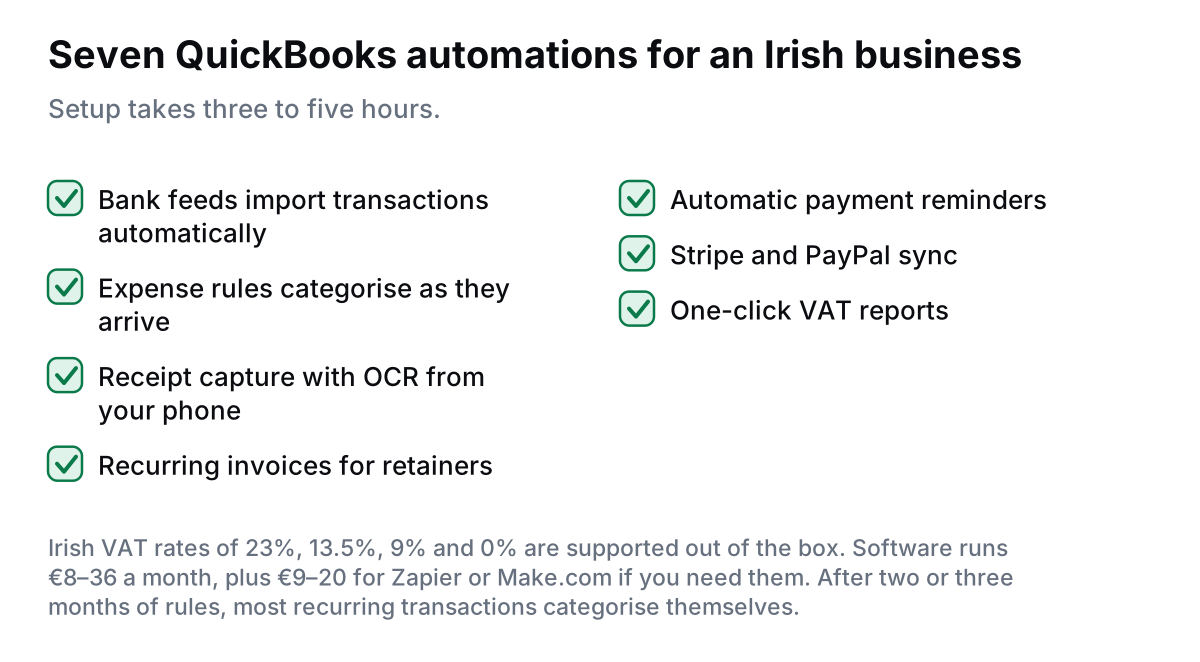
Direct answer: QuickBooks automation for Irish businesses takes the monthly bookkeeping admin off your desk by auto-importing bank transactions, auto-categorising expenses, sending recurring invoices, auto-matching receipts, and generating VAT reports in one click. Setup takes 3-5 hours. Works with all Irish banks, supports Irish VAT rates (23%, 13.5%, 9%, 0%), and integrates with Stripe, PayPal, and Irish CRM systems.
If you are spending hours every month on:
- Manual data entry from bank statements
- Matching receipts to transactions
- Creating and sending invoices
- Chasing payments
- VAT return preparation
QuickBooks automation fixes all of this. The steps below are the ones I work through with Irish clients, including the ROS and VAT detail.
This guide shows exactly how to automate QuickBooks for an Irish business in 2026.
Why Automate QuickBooks for Irish Business?
QuickBooks is powerful. But most Irish businesses use it as "glorified Excel."
Common problems:
- Manual bank entry: typing in transactions from printed statements
- Receipt matching hell: matching 50+ receipts to bank transactions monthly
- Repetitive invoicing: creating the same invoice for retainer clients every month
- Payment chasing: manually checking who has not paid and sending reminders
- VAT stress: 4-6 hours pulling data for ROS filing
Let's automate all of it.
7 QuickBooks Automations for Irish Businesses
1. Bank Feed Auto-Import
The Problem: You spend 3-5 hours monthly entering bank transactions into QuickBooks from printed or PDF statements.
The Automation:
- Connect Irish bank account to QuickBooks (bank feed)
- Transactions auto-import daily
- QuickBooks suggests categories based on past behaviour
- One-click to accept matches
Supported Irish Banks (2026):
- AIB (direct connection)
- Bank of Ireland (direct connection)
- Permanent TSB (via Yodlee)
- Revolut Business (direct integration)
- N26 Business (direct integration)
- Ulster Bank (limited, via Yodlee)
Time Saved: 3-5 hours/month
2. Automatic Expense Categorization
The Problem: You spend 2-3 hours monthly categorising expenses (office supplies, travel, marketing, etc.).
The Automation:
- Set up bank rules in QuickBooks:
- If transaction contains "Vodafone" → Category: Phone/Internet
- If transaction contains "Staples" → Category: Office Supplies
- If transaction contains "Circle K" → Category: Motor Expenses
- Rules apply automatically to new transactions
- QuickBooks learns from manual categorisations and suggests matches
Time Saved: 2-3 hours/month
Setup: Banking → Banking Rules → New Rule
Pro Tip: After 2-3 months, QuickBooks auto-categorises 80-90% of recurring transactions. Only new/unusual expenses need manual review.
3. Receipt Capture (Mobile App)
The Problem: Business lunch. You keep receipt. End of month, you spend 2 hours entering receipts manually.
The Automation:
- Download QuickBooks mobile app
- Snap photo of receipt immediately after purchase
- QuickBooks extracts: merchant, amount, date, VAT
- Auto-matches to bank transaction (if bank feed connected)
- Done in 10 seconds
Time Saved: 2-4 hours/month
Irish VAT Support: Recognizes Irish receipts with € symbol and Irish VAT format. Extracts VAT amount automatically.
Mileage Tracking Bonus: QuickBooks mobile app also tracks mileage automatically (uses phone GPS). Great for Irish businesses claiming motor expenses.
4. Recurring Invoices
The Problem: You have 10 retainer clients. You manually create the same invoice every month. Takes 15 minutes × 10 = 2.5 hours/month.
The Automation:
- Set up recurring invoice template in QuickBooks
- Set schedule: monthly, quarterly, or custom
- QuickBooks auto-creates and sends invoice on schedule
- Payment reminder emails sent automatically if overdue
Time Saved: 2-3 hours/month
How to Set Up: Sales → Recurring Transactions → New → Scheduled Invoice
5. Automatic Payment Reminders
The Problem: Invoice is 2 weeks overdue. You forget to follow up. Cash flow suffers.
The Automation:
- Enable QuickBooks automatic payment reminders
- Day 7: Friendly reminder
- Day 14: Second reminder
- Day 21: Urgent reminder (you can customise tone)
Time Saved: 1-2 hours/month
Cash Flow Impact: Invoices get paid faster because nobody forgets to chase
How to Set Up: Settings → Account and Settings → Sales → Reminders
Irish Payment Culture Note: Irish B2B payment terms are typically 30 days. Automated reminders help enforce this without awkward phone calls.
6. Stripe/PayPal Auto-Sync
The Problem: You accept payments via Stripe/PayPal. You manually log each payment in QuickBooks. Fees are not recorded correctly.
The Automation:
- Connect Stripe/PayPal to QuickBooks
- Sales auto-sync as income
- Fees auto-categorised as expenses
- Payouts auto-reconciled to bank account
Time Saved: 2-4 hours/month
Setup: Banking → Connect Account → Search "Stripe" or "PayPal"
Irish VAT Handling: Stripe transactions include VAT breakdown. QuickBooks imports this correctly for Irish VAT reporting.
7. One-Click VAT Reports for ROS
The Problem: VAT return due. You spend 4-6 hours pulling reports, checking calculations, filling out ROS form.
The Automation:
- QuickBooks tracks Irish VAT automatically (23%, 13.5%, 9%, 0%)
- One-click VAT report: Reports → VAT Return
- Shows T1, T2, T3, T4 values ready for ROS submission
- Takes 5 minutes vs. 4-6 hours manually
Time Saved: 4-6 hours per VAT period (bi-monthly or quarterly)
Irish VAT Rates in QuickBooks:
| VAT Rate | Applies To |
|---|---|
| 23% | Most goods and services |
| 13.5% | Fuel, electricity, building services |
| 9% | Tourism, newspapers, e-books |
| 0% | Exports, intra-EU B2B |
ROS Submission: QuickBooks does not directly submit to Revenue (yet). You manually enter values from QuickBooks report into ROS portal. Takes 5 minutes.
Setup Guide: Week-by-Week
Week 1: Foundation
- Sign up for QuickBooks Online (Simple Start or Essentials for Irish SMEs)
- Connect your Irish bank account (bank feed)
- Connect Stripe/PayPal if applicable
- Download QuickBooks mobile app
Week 2: Chart of Accounts & VAT
- Review chart of accounts (QuickBooks pre-loads Irish accounts)
- Verify VAT rates are correct: Settings → Tax → Manage Tax Rates
- Add your Irish VAT number: Settings → Company → Tax Info
- Customize invoice template with logo and Irish address
Week 3: Automation Rules
- Set up bank rules for recurring expenses (10-15 rules)
- Set up recurring invoices for retainer clients
- Enable automatic payment reminders
- Test: Create test invoice → check if reminder triggers
Week 4: Integration & Optimization
- Connect CRM (if using HubSpot, Pipedrive, etc.) via Zapier
- Set up automatic invoice creation when deals close in CRM
- Review first month of bank feed data → add missing rules
- Train team on receipt capture app
Cost Breakdown
| Tool | Monthly Cost |
|---|---|
| QuickBooks Simple Start | €8-12 |
| QuickBooks Essentials | €18-24 |
| QuickBooks Plus | €30-36 |
| Bank feeds (Irish banks) | €0 (included) |
| Zapier (for CRM integration) | €20-50 |
| Total | €8-86/month |
Worth doing? Compare the subscription cost against the hours the task takes you now. If the hours are trivial, it is not worth automating yet.
Want Help Setting Up QuickBooks Automation?
I will configure bank feeds, expense rules, recurring invoices, and CRM integration in 1-2 weeks.
Not sure where to start? The free automation audit takes five minutes and shows the hours and euro you would get back.
QuickBooks vs. Xero for Irish Businesses
| Feature | QuickBooks | Xero |
|---|---|---|
| Irish VAT Support | ✓ Full support | ✓ Full support |
| Irish Bank Feeds | ✓ All major banks | ✓ All major banks |
| Inventory Tracking | ✓ Excellent | ✓ Basic |
| Job Costing | ✓ Built-in | × Add-on required |
| Third-Party Apps | Good (650+ apps) | Excellent (1,000+ apps) |
| Accountant Preference | Less popular in Ireland | More popular in Ireland |
| Price (Irish SME) | €8-36/month | €15-32/month |
Recommendation:
- Choose QuickBooks if: You need inventory tracking, job costing, or are US-based parent company
- Choose Xero if: Your accountant prefers it, you need lots of integrations, or you are a service business
FAQs
Does QuickBooks work with Irish banks and VAT rates?
Yes. QuickBooks Online supports Irish banks (AIB, Bank of Ireland, Permanent TSB, Revolut) via bank feeds. It is pre-configured with Irish VAT rates: 23%, 13.5%, 9%, and 0%. QuickBooks automatically handles Irish VAT reporting for ROS submission.
Can I automate invoice creation in QuickBooks?
Yes. Set up recurring invoices for retainer clients (auto-sends monthly). For project-based invoicing, use Zapier/Make.com to trigger invoice creation when project status changes in your CRM or project management tool. Invoices can auto-send via email with payment links.
How do I automate QuickBooks bank reconciliation?
Connect your Irish bank account to QuickBooks bank feeds. Transactions import daily. QuickBooks suggests matches based on past categorisation. Set up bank rules for recurring transactions (rent, subscriptions) to auto-categorise. Reconciliation time drops from 4-6 hours to 30 minutes monthly.
What is the difference between QuickBooks and Xero for Irish businesses?
Both support Irish VAT and bank feeds. QuickBooks is more powerful for inventory and job costing. Xero has better third-party integrations and is more popular with Irish accountants. Pricing is similar: QuickBooks €8-36/month, Xero €15-32/month.
Is QuickBooks GDPR compliant for Irish businesses?
Yes. QuickBooks Online is GDPR-compliant with EU data centres, encryption, and data processing agreements. Customer data can be exported and deleted on request to comply with GDPR rights.
Final Thoughts
Accounting does not have to consume 10+ hours every month.
With QuickBooks automation, you can reduce monthly accounting work from 12 hours to 2 hours.
Start this week:
- Day 1: Connect bank feed
- Day 2: Download mobile app, start capturing receipts
- Day 3: Set up 5-10 bank rules for recurring expenses
Within two weeks, you will have a system that runs itself, giving you 10+ hours back monthly.
Ready to Automate Your QuickBooks Account?
I will set up bank feeds, expense rules, recurring invoices, and payment automation in 1-2 weeks.